This site requires JavaScript. Please try again.

Network Monitoring and Troubleshooting for Dummies

Networks are complex. Your network performance management shouldn’t be!

Register to download a FREE copy

Wireshark Enhancements:
Cascade Pilot Personal Edition

Network Analysis, Visualization, and Reporting Tool

"I would like to start by just saying “WOW.” Finally a solid product for network professionals that helps them to do their job... As a Network Analyst, it is important to have tools that are reliable, manageable and adaptable to the ever-changing environments of high performance networks. Pilot is that tool."
—Michael G. Hughes, Network Analyst, Global Escalations

Cascade Pilot™ Personal Edition is a visually rich and powerful analyzer for wired and wireless networks that is fully integrated with Wireshark, the leading open-source network protocol analyzer. The visual selection and drill-down features of Cascade Pilot Personal Edition enable users to quickly sift through terabytes of packets to readily quantify traffic content and send to Wireshark for deep packet inspection.

Cascade Pilot Personal Edition capitalizes on your existing expertise with Wireshark while dramatically increasing efficiency in identifying and diagnosing network problems.

Visually Rich and Powerful Protocol Analyzer
Cascade Pilot Personal Edition is an optimal tool for those who would like to enhance their Wireshark experience, but do not need the enterprise features or the distributed analysis capabilities of the full Cascade Pilot product. With Cascade Pilot Personal Edition users can:
  • Quickly open, drill down and analyze multi-gigabyte trace files
  • Easily isolate and identify traffic of interest through an extensive collection of network analysis metrics called "views"
  • Visualize long-duration live and off-line traffic statistics by moving back in time through large data sets with just a few mouse clicks
  • Apply compatible views to 50GB and larger trace files in a matter of seconds using trend indices
  • Baseline and monitor long-duration network traffic with a flexible trigger-alerting mechanism called "watches"
  • Create professional reports in a variety of formats directly from your custom views
  • Take advantage of Wireshark’s capture and display filters and expansive dissector library for deep packet analysis from within Cascade Pilot user interface
Cascade Pilot Personal Edition capitalizes on the user’s existing expertise with Wireshark while dramatically increasing efficiency in identifying and diagnosing network problems:
  • Accelerates problem identification, diagnosis and time-to-resolution
  • Simplifies troubleshooting through tight integration and seamless hand- off to Wireshark
  • Approaches data through different and varied convergence points for rapid investigative exercises
  • Opens very large packet traces in seconds rather than minutes (or longer)
  • Takes advantage of the network staff’s expertise with Wireshark without having to learn yet another approach
Views: Cascade Pilot Personal Edition offers a broad selection of interactive view metrics to meet troubleshooting requirements. These include:
  • 802.11 WLAN Troubleshooting (discovery, bandwidth, channel usage, retransmissions, signal and noise)
  • LAN and Network Troubleshooting (MAC, VLAN, ARP, ICMP, DHCP, and DNS)
  • Bandwidth Usage (microbursts, IP, TCP, Web, and VoIP)
  • Talkers and Conversations (IP, subnets, countries, TCP, Web, VoIP, database, financial)
  • Performance and Errors (IP, TCP, Web, VoIP, database, financial)
  • User Activity (Web, VoIP, database, financial)

Charts: Cascade Pilot Personal Edition includes a complete collection of interactive charts including bar, pie, and strip charts, conversation rings, scatter diagrams and grids for displaying information in the way it makes sense to you. An intuitive point-and-click process makes it easy to select elements within a chart, such as bars within a bar chart or time intervals within a strip chart, to refine your analysis.

Multi-Level Drill-Down: Drill-down is one of the most powerful and unique features in Cascade Pilot Personal Edition. Drill-down occurs when you apply a view to a source which itself is the result of a selection made within a previously-instantiated view. This powerful paradigm allows you to quickly hone in on the specific packets needed to isolate anomalous network behavior, enabling very large trace files to be analyzed quickly and easily.

Time Control: Viewing long duration network traffic metrics computed over days, weeks, and months can be challenging. With Cascade Pilot Personal Edition’s “back-in-time” capability, users can easily move through view metrics over extended periods of time with just a few mouse clicks. Based on the selected time interval, sub-sampling and data aggregation techniques are used to optimize the granularity of the visual presentation of view metrics. The back-in-time capability can be applied to live and off-line traffic metrics.

Watches: Watches are a sophisticated triggering and alerting technology that can be created on virtually any view metric. When a trigger condition is met – for example, high bandwidth, slow server response time, high TCP round-trip time – an action is then executed. Actions include event logging, sending an email alert, and initiating a packet capture.

Reporting: Cascade Pilot Personal Edition offers an enhanced set of reporting capabilities that integrate fully with views, enabling the user to create professional reports from what you see on the screen. Reports can be created in a variety of formats including PDF, Word and Excel.

Wireless Support: Cascade Pilot Personal Edition offers unparalleled functionality and versatility when applied to wireless networks through a comprehensive set of 802.11 views that can be applied directly to 802.11 wireless sources. Thanks to the integration with Riverbed AirPcap adapters, Cascade Pilot Personal Edition offers full multi-channel packet capture from a laptop-based system. With AirPcap Nx, Cascade Pilot Personal Edition can speed up the decryption of WPA and WPA2 (pre-shared key) 802.11 frames as well.

Cascade Pilot Personal Edition
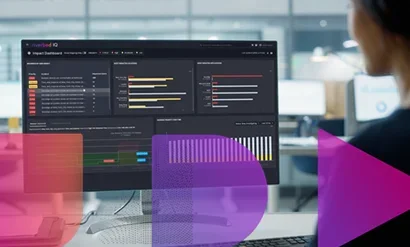
Cascade Pilot Personal Edition provides an interactive and visually-oriented user interface.

Monitoring VoIP is easy with Cascade Pilot.
Monitoring VoIP is easy with Cascade Pilot. Send a conversation to Wireshark for replay with a right mouse click.

Create instantaneous, professional reports from on-screen displays to easily inform management and colleagues of network conditions and health.

This Geo IP Response Time view lets the user see the fastest and slowest responding servers by country.
Drag views onto a trace file to narrow the analysis. This Geo IP Response Time view lets the user see the fastest and slowest responding servers by country.

Cascade Pilot Personal Edition deployed with 3 AirPcap adapters locked on to separate channels displaying bandwidth over time.

Introduction – A video introduction to Cascade Pilot and Cascade Shark, the only network analysis tools to be fully integrated with Wireshark

Introduction

Drill Downs – How the drill-down feature in Riverbed Cascade Pilot and Cascade Shark can help find the proverbial needle in a haystack

Drill Downs

Wireshark Within – Cascade Pilot and Cascade Shark tightly integrate with Wireshark, the world's most popular open-source protocol analyzer

Wireshark Within

Time Control – Using the Time Control feature to zoom through millions of packets to focus on those that you need

Time Control

Watches – Configuring Cascade Pilot and Cascade Shark to alert you when a trigger condition is met

Watches

Reporting – How to create and customize network analysis reports in Cascade Pilot and Cascade Shark

Reporting

Wireless – Using visual analysis capabilities to troubleshoot wireless networks

Cascade Wireless
 System Requirements
Operating System Windows XP, Windows Vista, and Windows 7 (32 bit/64 bit, Home, Premium, Enterprise, Professional, Ultimate)
CPU A dual core 2.0 GHz CPU or better
Memory 2 GB RAM
Disk Space 300MB free disk space plus additional space for trace files and reports
Video Support for graphics cards with a minimum resolution of 1024 x 768

Learn More:


Other Related Content:

Sharkfest '12
Wireshark Developers & User Event
Dates, agendas, and retrospectives
Learn More

Media Feed RSS Twitter Facebook YouTube LinkedIn
Addressing the Challenge of 21st Century Network Performance Management
Produced by Riverbed Join Heidi Gabrielson, Senior Product Marketing Manager from Riverbed Technology, and Michael Krieger, VP of the Market
More

New Riverbed Video
New Riverbed Video From: RiverbedTechnology Views: 27 1 ratings Time: 01:20 More in Science & Technology
More

Introducing Steelhead CX, EX, and VSP
Senior Product Marketing Manager Joe Ghory provides an introduction to Riverbed's new Steelhead WAN optimization appliance platforms.
More

Demonstration of Riverbed Granite
Bob Gilbert demonstrates Granite, which is Riverbed's groundbreaking edge virtual server infrastructure technology.
More

Introducing Riverbed Granite
Senior Product Marketing Manager Eric Carter provides an introduction to Granite, which is Riverbed's groundbreaking Edge Virtual Server
More

Riverbed. WAN optimization for your network: Application acceleration, WAN bandwidth optimization, and IT consolidation
Riverbed Technology delivers performance for the globally connected enterprise. With Riverbed, enterprises can successfully and intelligently implement strategic initiatives such as virtualization, consolidation, cloud computing, and disaster recovery without fear of compromising performance. By giving enterprises the platform they need to understand, optimize and consolidate their IT, Riverbed helps enterprises to build a fast, fluid and dynamic IT architecture that aligns the business needs of the organization. Additional information about Riverbed (NASDAQ: RVBD) is available at www.riverbed.com.